Trips
1. Page Objectives
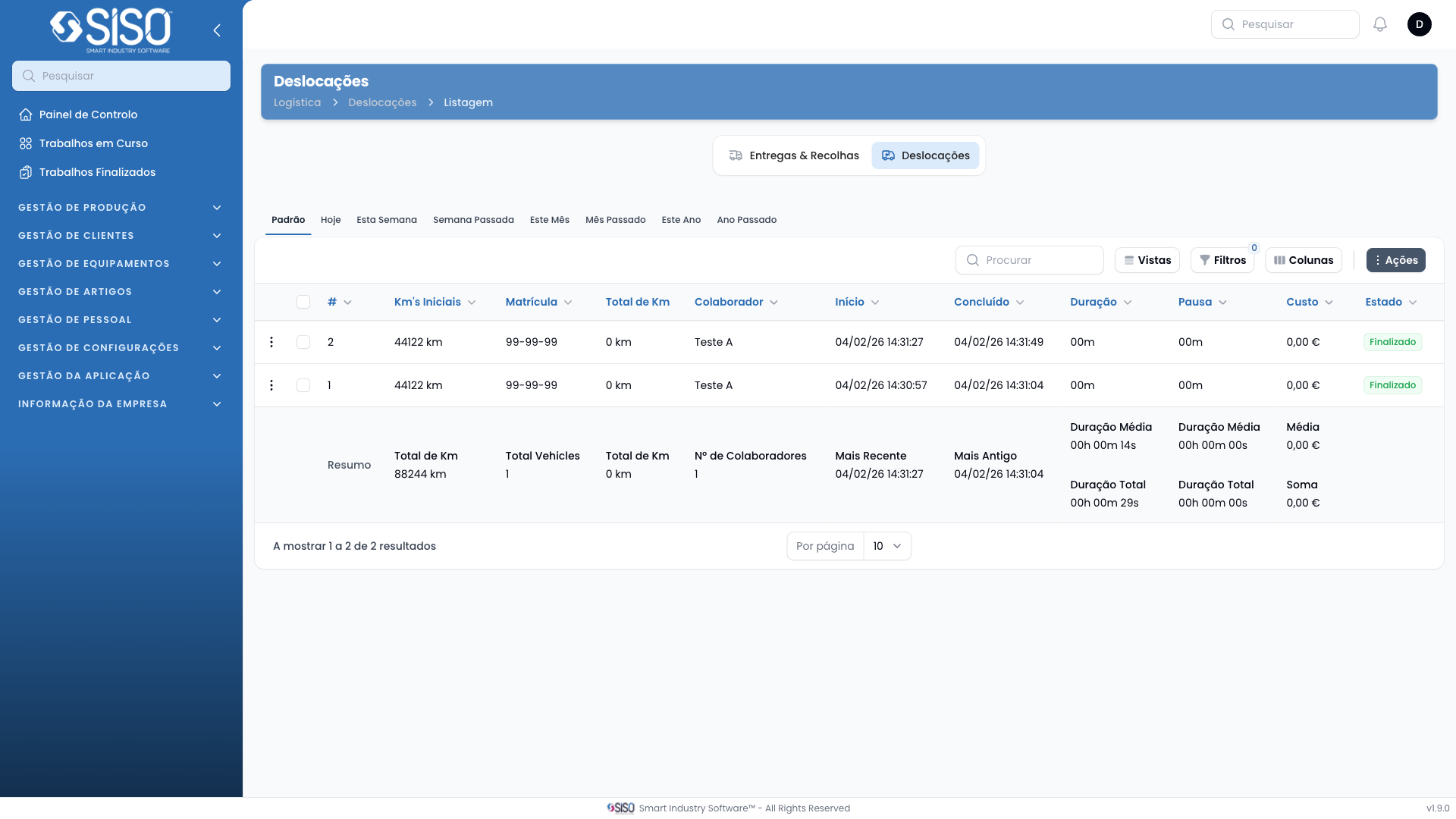
This page provides an overview of all trips related to logistics operations. It allows users to view, filter, and manage trip records, including information about travel details, employee assignments, vehicle usage, and costs.
2. Table
The table contains a list of trips made by the employees, showing essential trip details such as travel number, kilometers covered, plate number, employee, duration, and cost.
2.1. Table Actions
- Export All: This action allows users to export all the displayed trip data in the current table view.
- View: This action provides a detailed view of a specific trip, showing all related information.
- Timeline: This option presents the trip in a timeline format to visualize the trip's time progression.
2.2. Columns
| Field | Description |
|---|---|
| Travel # | The number of the trip, identifying the trip uniquely within the system. |
| Initial Km's | The initial number of kilometers on the vehicle before the trip starts. |
| Plate Number | The license plate number of the vehicle used for the trip. |
| Start | The start time and date when the trip began. |
| Employee | The employee responsible for this trip. |
| Duration | The total duration of the trip. |
| Pause | The amount of time the vehicle was paused during the trip. |
| Total Km | The total kilometers driven during the trip. |
| Cost | The cost associated with the trip, including fuel and other expenses. |
| Status | The status of the trip, such as finished or aborted. |
| Finished At | The time and date when the trip was completed. |
2.3. Filters
- Status: This filter allows users to select trips based on their current status: Running, Paused, Finished, or Aborted.
- Employee: Filter trips by selecting a specific employee who was responsible for the trip.
- Operation Type: Filter the table based on the operation associated with each trip.
2.4. Record Actions
- View: Allows users to view more detailed information about a particular trip.
- Timeline: Displays the trip's timeline, showing key milestones and changes during the trip.