Operations
1. Page Objectives
This page displays a list of all operations performed. It provides detailed information such as operation type, employee, equipment, client, and status. The primary purpose of this page is to monitor the execution of operations within the system, giving administrators an overview of the status and details of each process.
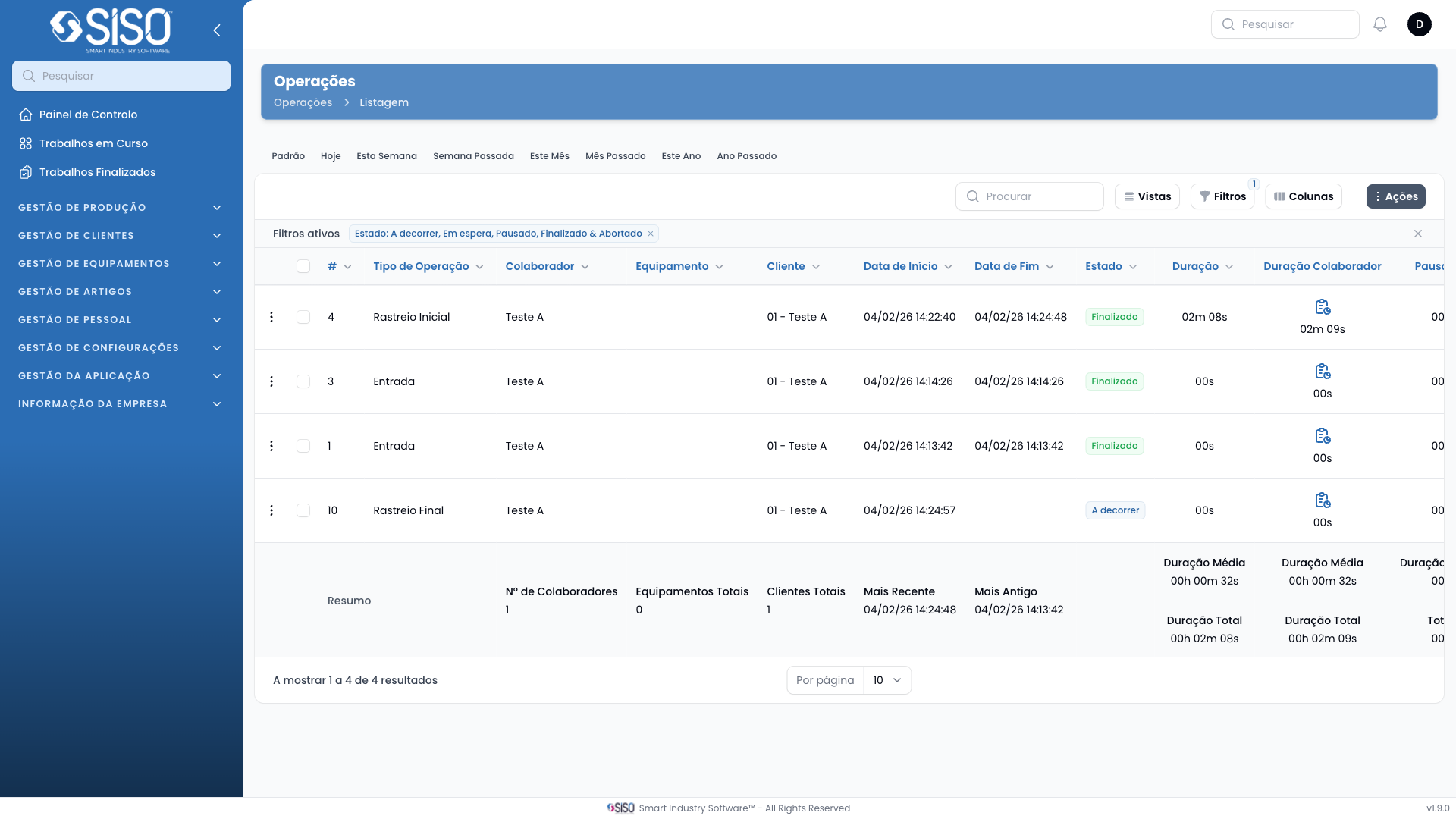
2. Table
The table contains detailed information about various operations, including the type of operation, employee involved, equipment used, client, and the start and end times of the operation. Each row represents a specific operation, and the columns display various attributes related to the operation.
2.1. Table Actions
- Export All: This action allows the user to export the entire list of operations into a downloadable format for external use.
2.2. Columns
| Field | Description |
|---|---|
| Operation Type | The type of operation performed (e.g., drying, sorting) |
| Employee | Name of the employee responsible for the operation |
| Equipment | The equipment used for the operation |
| Client | Name of the client for whom the operation was performed |
| Started At | The exact start time of the operation |
| Finished At | The exact time when the operation was completed |
| Status | The current status of the operation (e.g., Finished, Aborted) |
| Duration | The total time taken to complete the operation |
| Employee Duration | The time the employee worked on the operation |
| Pause | Any pauses taken during the operation |
| Cost | The cost associated with the operation |
| Work Flow | The workflow applied to the operation |
2.3. Filters
- Client: Filters the operations based on the client associated with each operation.
- Operation Type: Allows filtering the operations by the type of operation (e.g., drying, sorting).
- Date Range: Filters operations based on the date range by selecting a start and end date.
2.4. Record Actions
- Edit: Opens the edit form for modifying details of the selected operation.