From Stock
1. Page Objectives
The Article Types With Sizes page allows users to manage article types and their associated sizes and weights. This page is used to track the minimum, average, and maximum weights of items, as well as their cleaning costs and purchase prices.
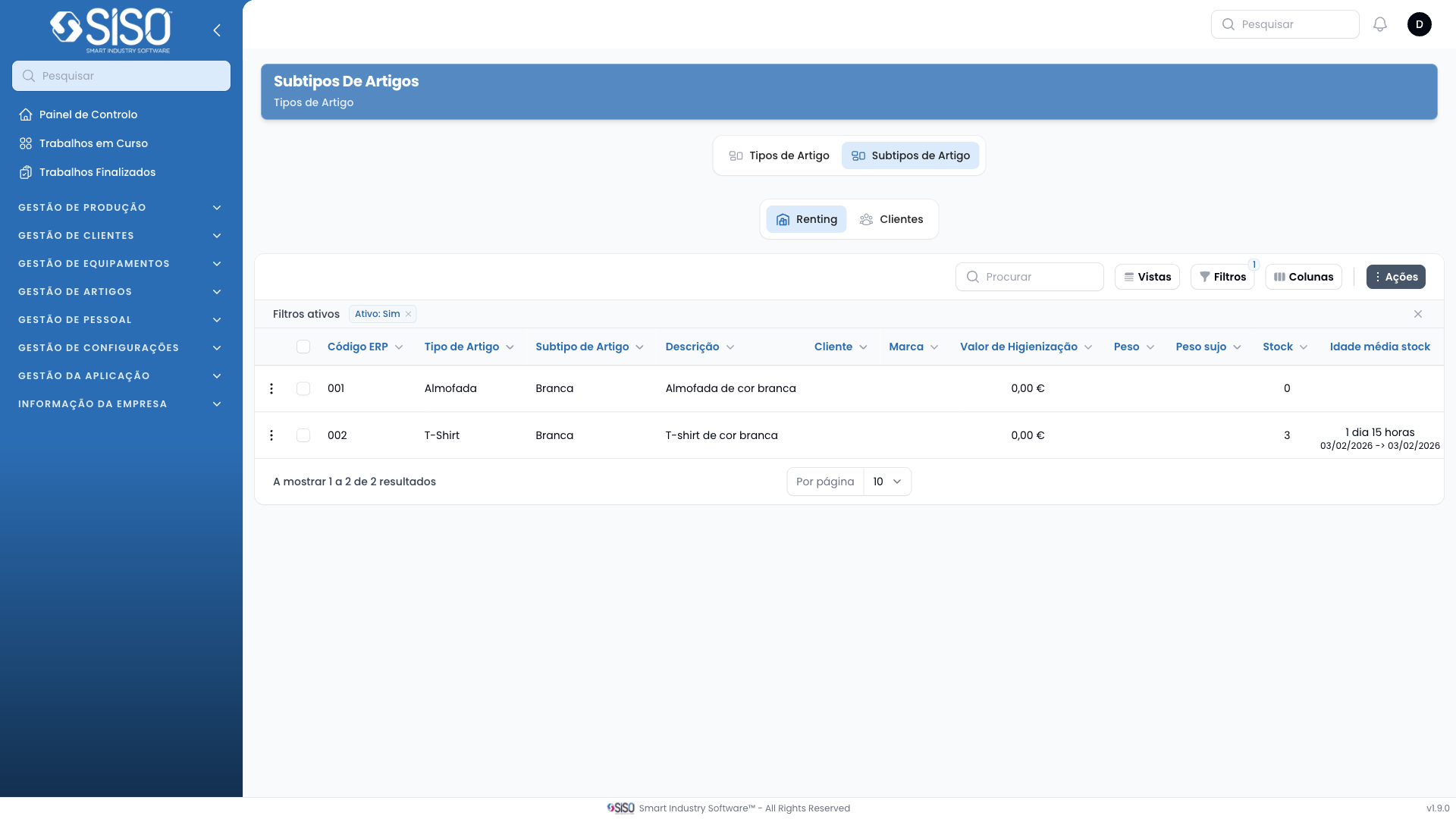
2. Table
The table displays a list of article types along with their size, weight, and cost details. Each row represents an article type, and the columns provide various metrics related to the article, including weights, cleaning costs, and purchase prices.
2.1. Table Actions
- From Stock: Filters article types that are available in stock.
- From Clients: Filters article types associated with clients.
2.2. Columns
| Field | Description |
|---|---|
| ID | Unique identifier for the article type. |
| Article Type | The name of the article type. |
| Min Weight | Minimum recorded weight of the article. |
| Average Weight | Average recorded weight of the article. |
| Max Weight | Maximum recorded weight of the article. |
| Min Dirty Weight | Minimum recorded dirty weight of the article. |
| Average Dirty Weight | Average recorded dirty weight of the article. |
| Max Dirty Weight | Maximum recorded dirty weight of the article. |
| Min Cleaning Cost | Minimum cost associated with cleaning the article. |
| Average Cleaning Cost | Average cost associated with cleaning the article. |
| Max Cleaning Cost | Maximum cost associated with cleaning the article. |
| Stock | Quantity of the article type available in stock. |
| Average Stock Age | The average age of the stock for the article. |
| Min Purchase Price | Minimum purchase price recorded for the article. |
| Average Purchase Price | Average purchase price recorded for the article. |
| Max Purchase Price | Maximum purchase price recorded for the article. |
| Last Purchase Price | The last recorded purchase price for the article. |
| Active | Whether the article type is currently active or not. |
2.3. Filters
- Active: Filters the table to show only active or inactive article types. The available options are:
- Active: Shows only active article types.
- Inactive: Shows only inactive article types.
- All: Shows all article types, both active and inactive.
2.4. Record Actions
- Edit: Allows the user to edit the selected article type.