Authentication Logs
1. Page Objectives
The "Authentication Logs" page is used to track and monitor user authentication events, such as login and logout activities. It provides information about when and how users access the system.
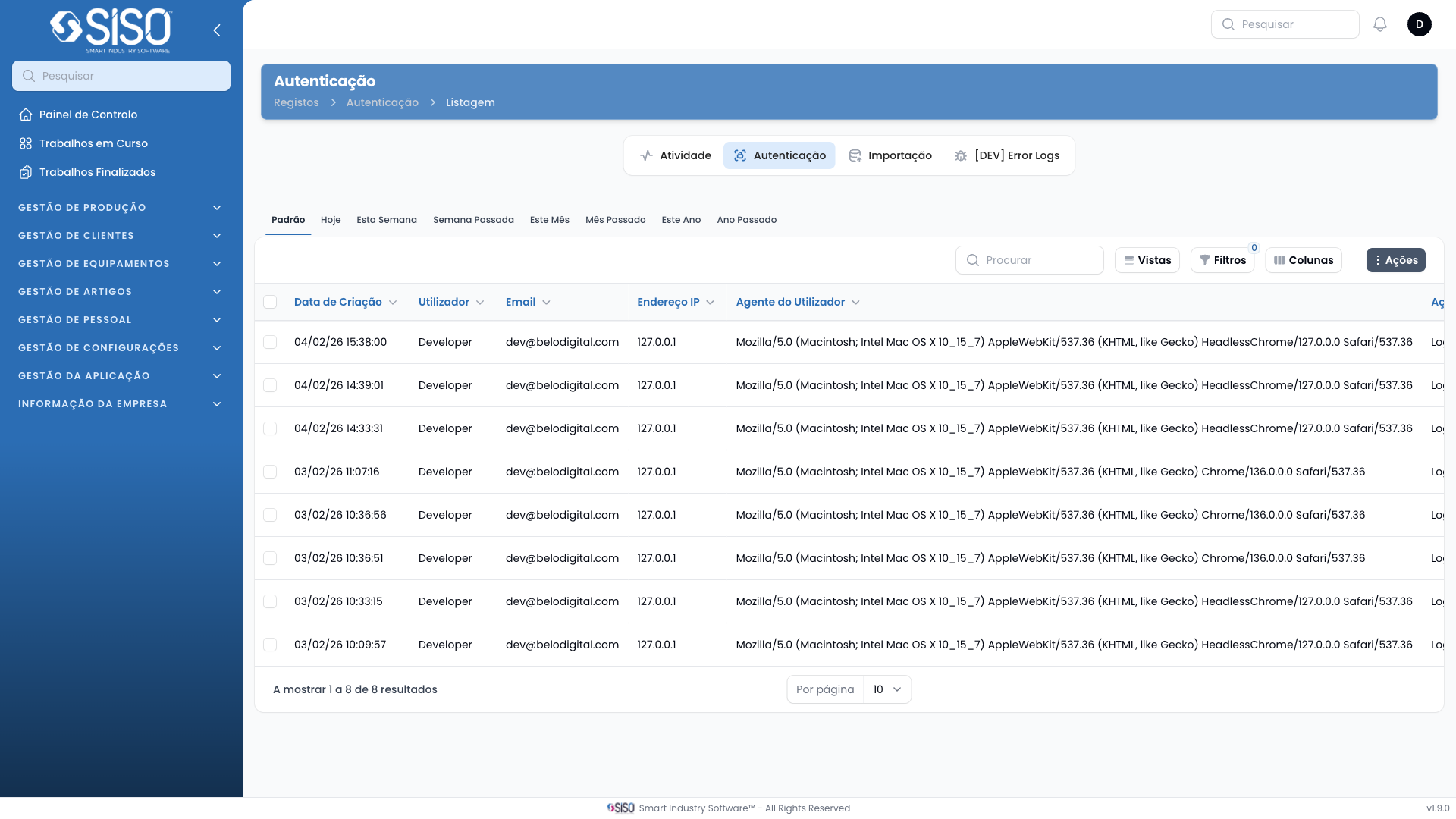
2. Table
The table displays detailed information regarding user authentication events, including the time of the event, user information, and other relevant data like IP address and user agent.
2.1. Table Actions
- Export All: Allows the user to export all authentication log records from the table.
2.2. Columns
| Field | Description |
|---|---|
| Created At | The date and time when the authentication event occurred. |
| User | The username of the person performing the authentication event. |
| IP Address | The IP address from which the authentication was performed. |
| User Agent | The browser and operating system details of the user during the event. |
| Action | Describes the type of action performed, such as "login" or "logout". |
2.3. Filters
- User: Filters the logs by the specific user involved in the authentication events.
- Action: Filters the logs by the type of action (login or logout) performed.
- Created From/Until: Filters logs by the date range of when the authentication events occurred.
2.4. Record Actions
- View Details: Provides more information about the selected authentication event, including additional metadata or context about the login/logout action.