[DEV] Permissions
1. Page Objectives
This page allows administrators to manage user permissions within the system. It lists all available permissions and provides options to edit or delete them. The page is useful for configuring access controls, ensuring users have the correct permissions to perform their tasks.
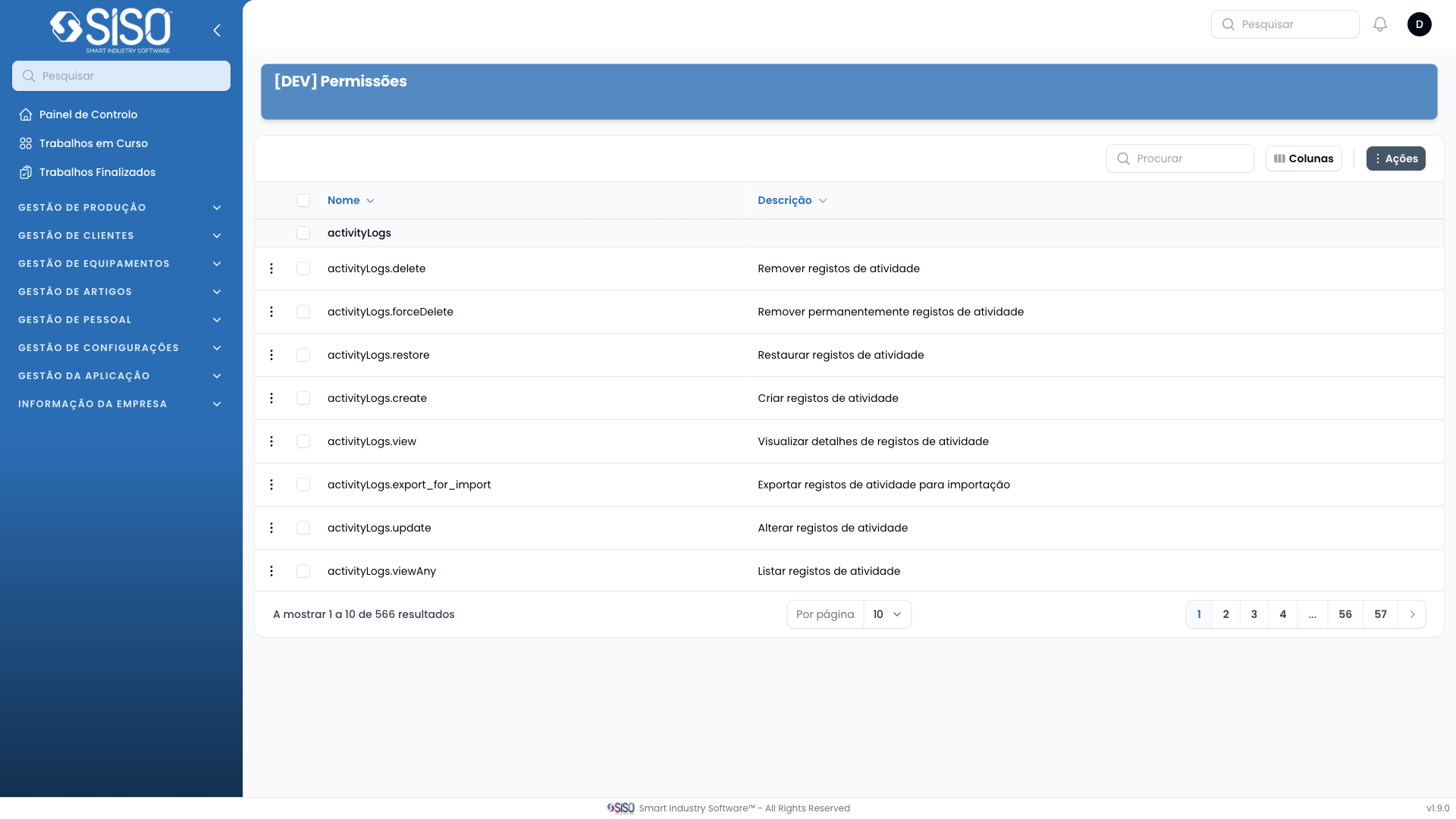
2. Table
The table displays the available permissions for managing various aspects of the system. It includes columns that show the name of the permission and its description.
2.1. Table Actions
- New [DEV] Permissions: Opens a form to create a new permission, defining its name and description.
2.2. Columns
| Field | Description |
|---|---|
| Name | The name of the permission. |
| Description | Brief description of the permission. |
2.3. Filters
- Name: Filter the table based on permission name. It helps to quickly locate specific permissions.
- Description: Filter based on the description of the permission.
2.4. Record Actions
- Edit: Opens the selected permission in edit mode, allowing the user to modify its name or description.
- Delete: Removes the selected permission from the system.