[DEV] Entry Types
1. Page Objectives
The "Tipo De Entradas" page is used to manage and configure the different types of entries that are tracked in the system. These entries can represent various input methods like Manual, QRCode, or RFID, and help in keeping track of items using different technologies.
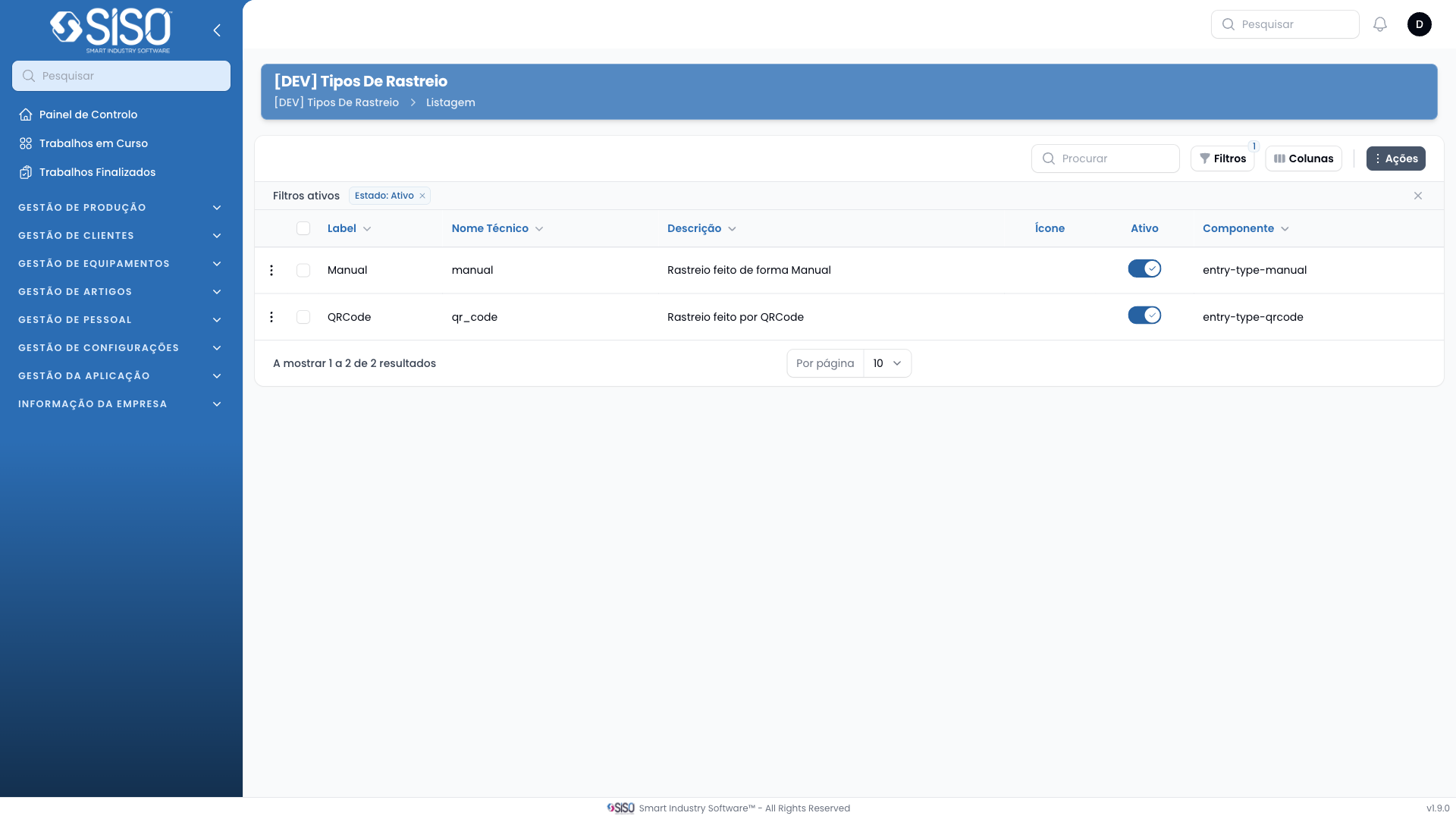
2. Table
The table on the "Tipo De Entradas" page lists the different entry types, showing their labels, technical names, descriptions, icons representing each type, and whether they are active or not.
2.1. Table Actions
- Create Entry Type: Allows the user to create a new type of entry with a label, technical name, and other relevant details.
2.2. Columns
| Field | Description |
|---|---|
| Label | The user-friendly name for the entry type |
| Technical Name | The internal, technical identifier for the type |
| Description | A brief explanation of what the entry type does |
| Icon | Visual icon representing the entry type |
| Active | Shows whether the entry type is active or not |
| Component | The component or identifier associated with the entry type |
2.3. Filters
- Columns: Allows the user to toggle the visibility of table columns such as "Label," "Technical Name," "Description," and "Component" for a customized view of the table.
2.4. Record Actions
- Edit Entry Type: Allows the user to edit the details of an existing entry type, such as changing its label, technical name, description, or status.