Receipts
1. Page Objectives
The "Receipts" page provides a list of all receipts generated in the system. It allows users to view, filter, and manage receipt documents, tracking payment information and ensuring that all transactions are accounted for. The page helps users keep a detailed record of financial receipts.
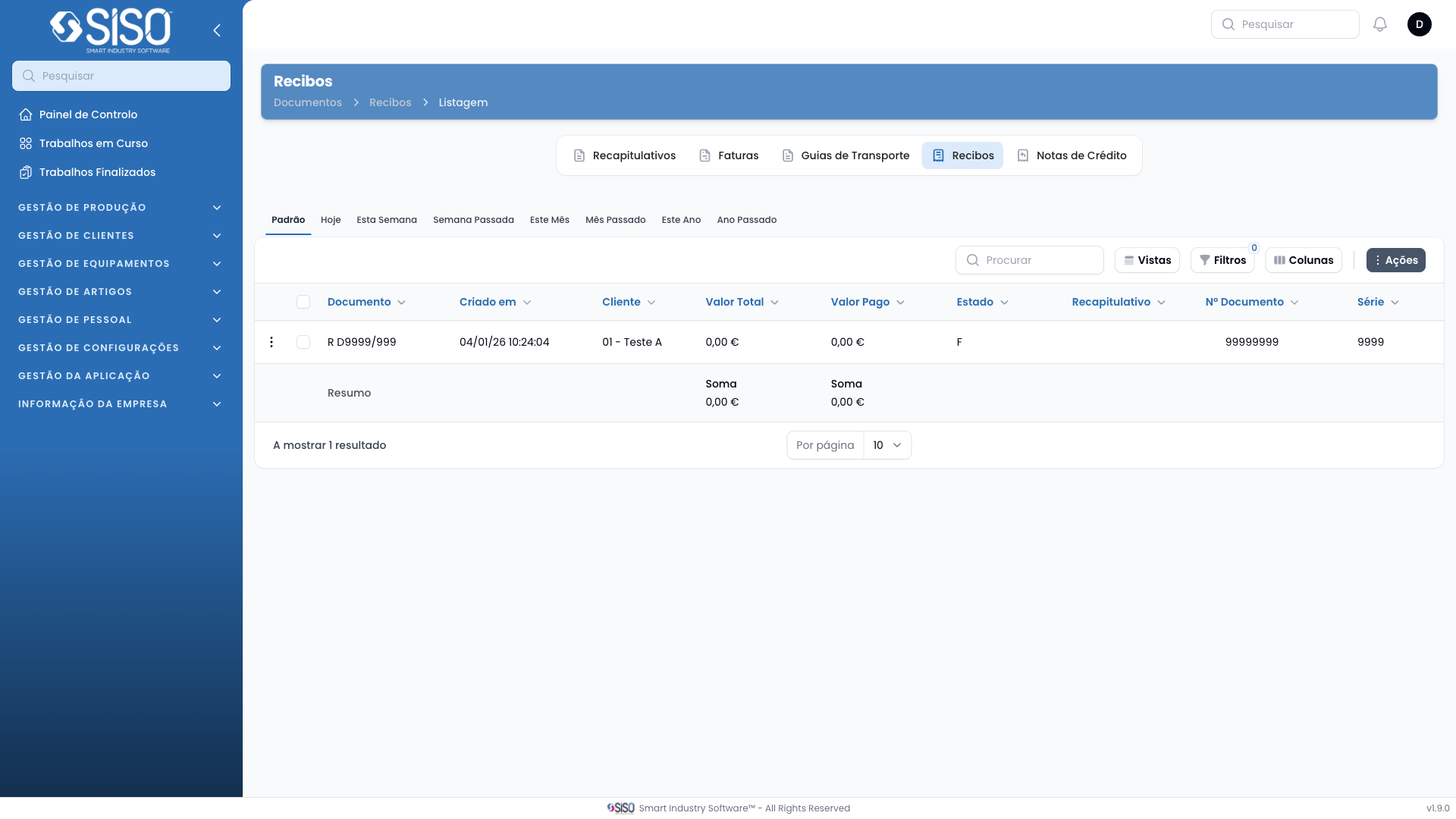
2. Table
The table is used to display receipt documents along with key details such as receipt number, client name, series, total value, paid value, status, and creation date. The table may be empty if there are no receipt records available.
2.1. Table Actions
- Columns: Lets users control which columns are displayed in the table, allowing them to show or hide specific fields.
- Filters: Enables users to apply filters to narrow down the list of receipts based on specific criteria, such as date range.
- Vistas (Views): Users can toggle between different views to display receipts for today, this week, this month, and more.
- Actions: Provides options for synchronizing receipt data with external systems.
2.2. Columns
| Field | Description |
|---|---|
| Number | The unique identifier of the receipt |
| Client | The client for whom the receipt was issued |
| Series | The series or type of receipt |
| Total | The total monetary value of the receipt |
| Paid Value | The amount of money that has been paid for receipt |
| Status | The current status of the receipt (e.g., Paid) |
| Document | The document reference related to the receipt |
| Created At | The date the receipt was created |
2.3. Filters
- Created From / Created Until: Filters receipts based on their creation date, allowing users to specify a time range for viewing records.
2.4. Record Actions
- Synchronize: Synchronizes the receipts with external or internal systems to ensure data accuracy.