Recapitulatives
1. Page Objectives
The "Recapitulatives" page provides an overview of recapitulatory documents related to clients and contracts. This page is designed to display important details such as the client, contract, delivery address, year, month, document, total cost, and related invoice information. It allows users to filter, view, and manage recapitulatory documents efficiently.
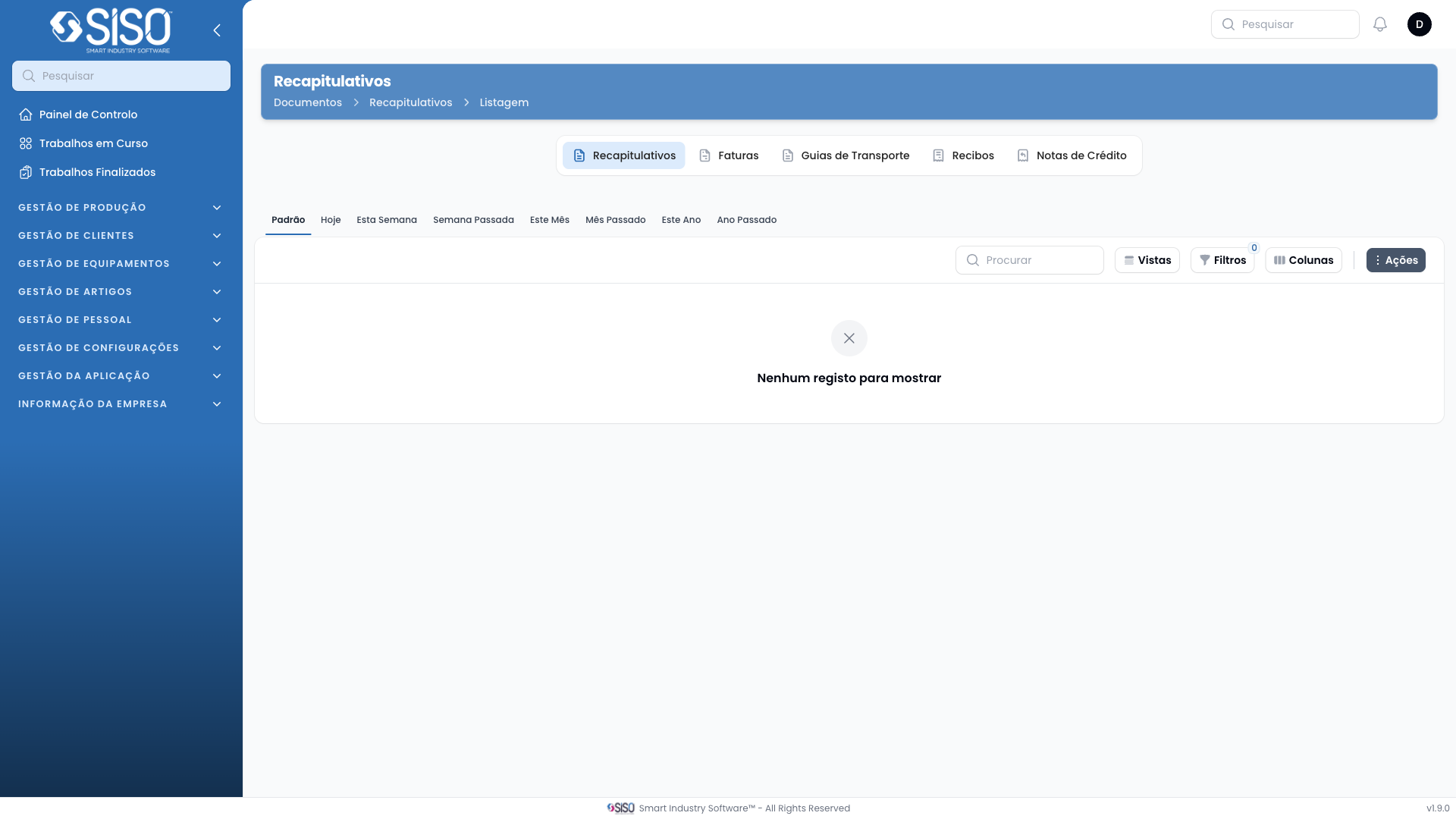
2. Table
The table contains a list of recapitulatory documents associated with different clients. Each row represents a document, and columns provide specific details like client name, contract number, delivery address, year, month, document reference, total cost, creation date, and invoice status.
2.1. Table Actions
- Columns: Allows users to manage the visibility of table columns, letting them show or hide specific fields.
- Filters: Enables users to apply filters to narrow down the list of documents based on certain criteria (e.g., date, client).
- Vistas (Views): Allows users to switch between different preset views of the table, such as viewing records from today, this week, or other time frames.
- Actions: Provides options to manage the selected document.
2.2. Columns
| Field | Description |
|---|---|
| Client | The name of the client related to the recapitulatory document |
| Contract | The contract number associated with the client |
| Delivery Address | The address where the delivery associated with the document takes place |
| Year | The year the document is associated with |
| Month | The month the document is associated with |
| Document | The reference code of the recapitulatory document |
| Total Cost | The total monetary value of the recapitulatory document |
| Created At | The date when the document was created |
| Invoice | The status of the invoice linked to the recapitulatory document |
2.3. Filters
- Date Filter: Filters the documents by date range, allowing users to view records for specific time periods such as today, this week, last week, this month, etc.
- Client Filter: Allows users to filter the table by specific clients to view only the documents related to that client.
- Contract Filter: Filters the table based on the contract associated with each document.
2.4. Record Actions
- Preview Document: Opens a preview of the selected document for review.
- Download Document: Downloads a copy of the document for offline access or sharing.
- Emit Invoice: Generates an invoice related to the selected recapitulatory document.
- Delete: Permanently removes the selected document from the system.