In Stock
1. Page Objectives
This page is used to manage the articles currently in stock. It provides an overview of all the items, including their type, purchase price, size, color, and status. The page also allows users to filter, view, and manage articles in stock through different actions.
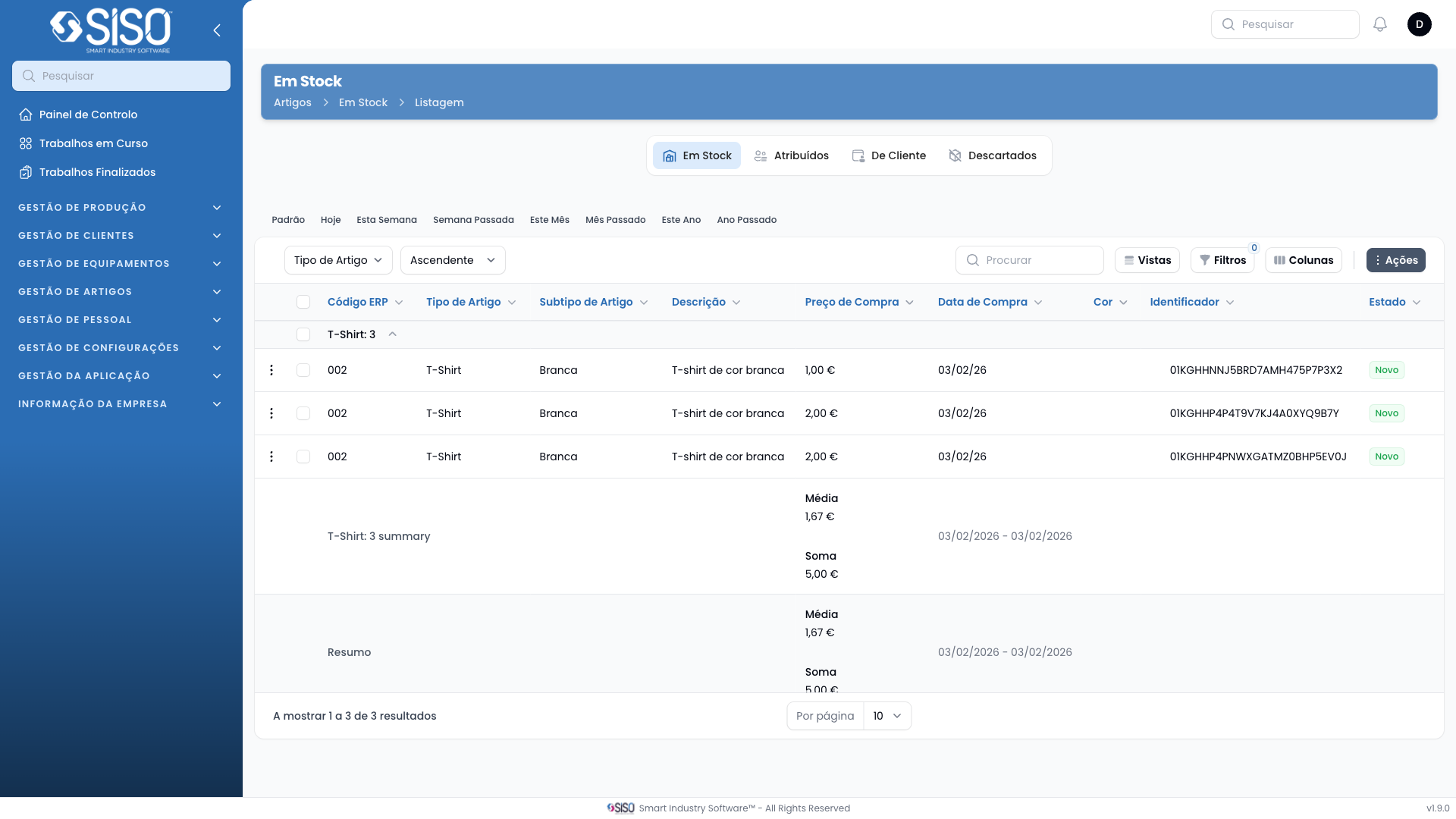
2. Table
The table displays a list of all articles currently in stock, including details such as article type, purchase price, purchase date, size, color, and identifier. The user can also perform actions like exporting, synchronizing, or editing records.
2.1. Table Actions
- Synchronize: Updates the table with the latest records from the database.
- Export All: Exports the entire table data to a file for external use.
2.2. Columns
| Field | Description |
|---|---|
| Article Type | The type or category of the article. |
| Purchase Price | The price paid for purchasing the article. |
| Purchase Date | The date when the article was purchased. |
| Size | The size of the article (e.g., XS, S, M, L, XL). |
| Color | The color of the article (e.g., blue/green). |
| Identifier | A unique code identifying each article. |
| Status | The current status of the article (e.g., New, Assigned). |
2.3. Filters
- Article Type: Filter articles by their type or category.
- Size: Filter articles based on their size.
- Business Area: Filter articles based on the business area they belong to.
- Supplier: Filter articles by their supplier.
- Purchased from: Set a start date to filter articles by their purchase date.
- Purchased until: Set an end date to filter articles by their purchase date.
- Status: Filter articles by their current status (New or Used).
2.4. Record Actions
- Assign: Assign the selected article to a user or customer.
- Edit: Edit the details of the selected article.
- Destroy: Permanently delete the selected article from the system.