HygiCo
1. Page Objectives
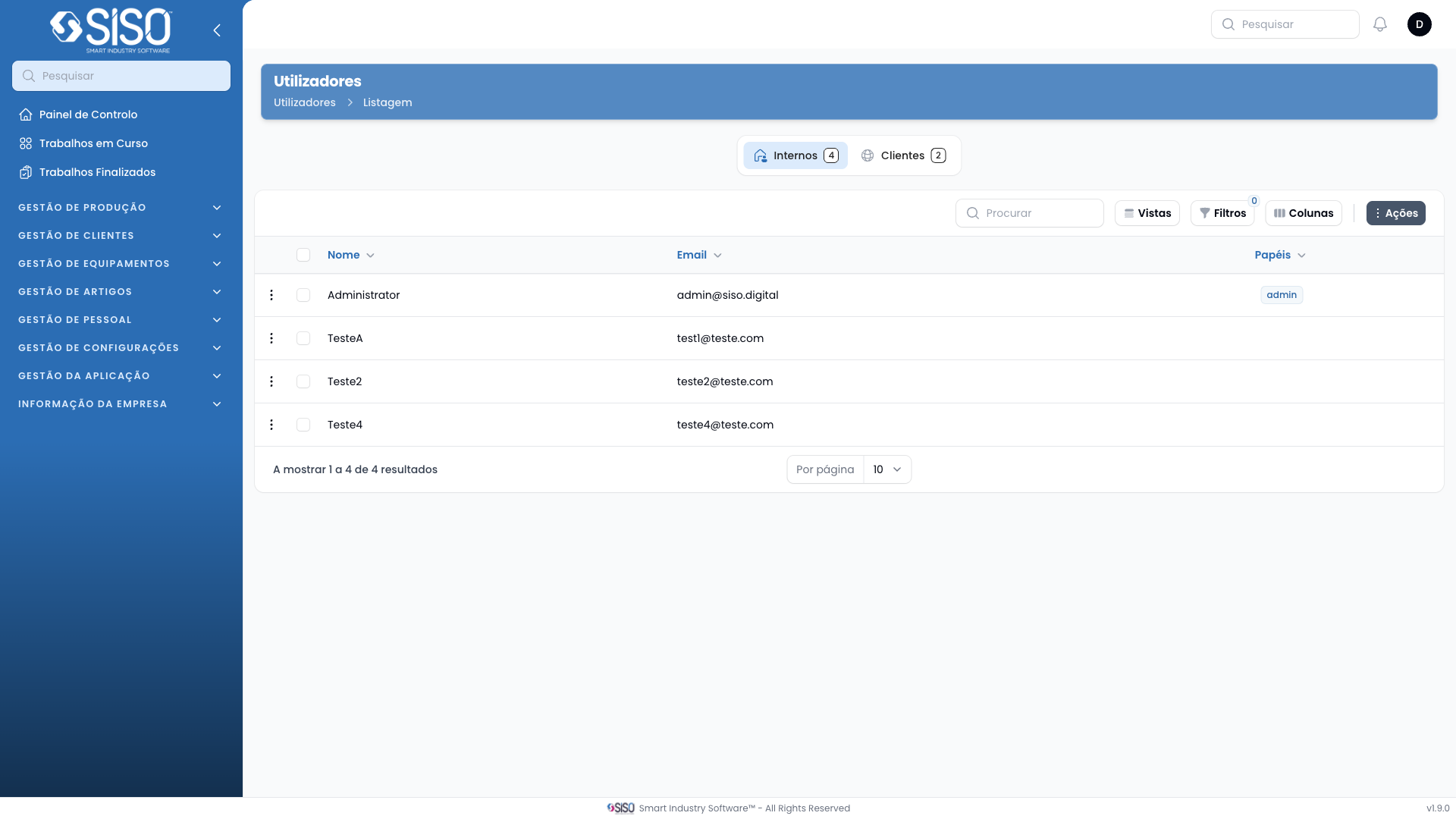
The Users page allows the management of system users, including viewing, editing, deleting, and exporting user data. It also facilitates filtering users based on roles and managing their access rights.
2. Table
The table displays a list of users in the system, showing their name, email, and associated roles. It provides an overview of the current users and their access levels.
2.1. Table Actions
- New Users: Opens a form to add a new user to the system.
- Export All: Exports the list of users to a file for external use or backup.
2.2. Columns
| Field | Description |
|---|---|
| Name | Displays the name of the user |
| Shows the user's email address | |
| Roles | Indicates the user's role in the system (e.g., admin, operator) |
2.3. Filters
- Roles Filter: This filter allows users to filter the table based on the assigned roles (e.g., admin, gestor, comercial, operador). It helps in quickly narrowing down users by their role.
2.4. Record Actions
- Roles: View and manage the roles assigned to the user.
- Edit: Opens the user's details for editing, such as updating email, name, or role.
- Delete: Removes the user from the system, with a confirmation prompt before finalizing the action.