Roles
1. Page Objectives
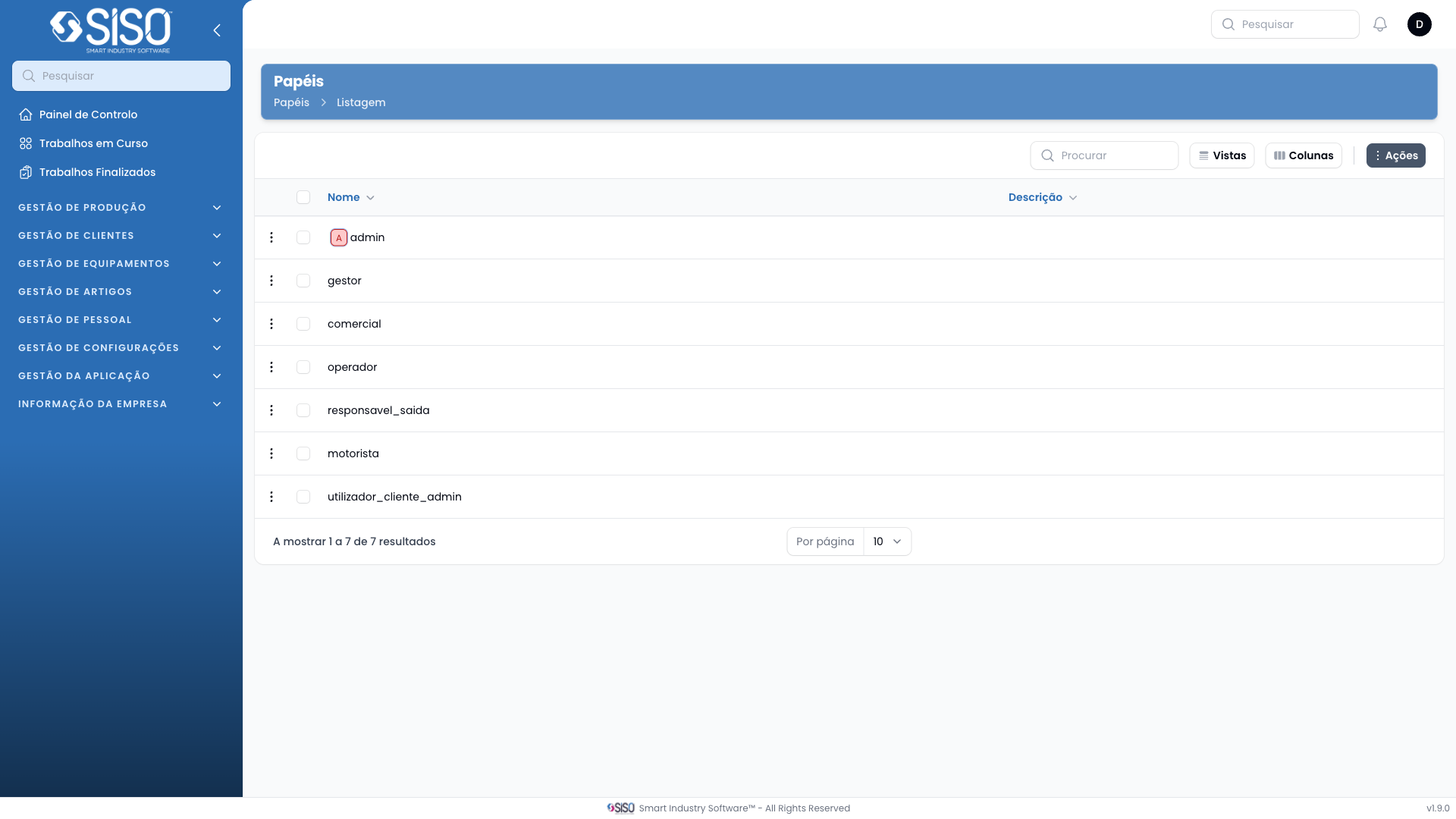
The Roles page allows the management of different roles within the system. Users can view, create, edit, and delete roles, as well as set permissions for each role.
2. Table
The table displays a list of roles that exist within the system, including the role name and its description.
2.1. Table Actions
- New Roles: Opens a form to create a new role.
- Export All: Exports the list of roles into an external file for further use.
2.2. Columns
| Field | Description |
|---|---|
| Name | Displays the name of the role |
| Description | Provides a brief description of the role |
2.3. Filters
There are no filters available on the Roles page as shown in the screenshot.
2.4. Record Actions
- Permissions: Opens the permission settings for the selected role, allowing the user to manage the permissions granted to that role.
- Edit: Opens the role details for editing, including updating the name and description.
- Delete: Deletes the selected role from the system with a confirmation prompt before finalizing the action.