Employees
1. Page Objectives
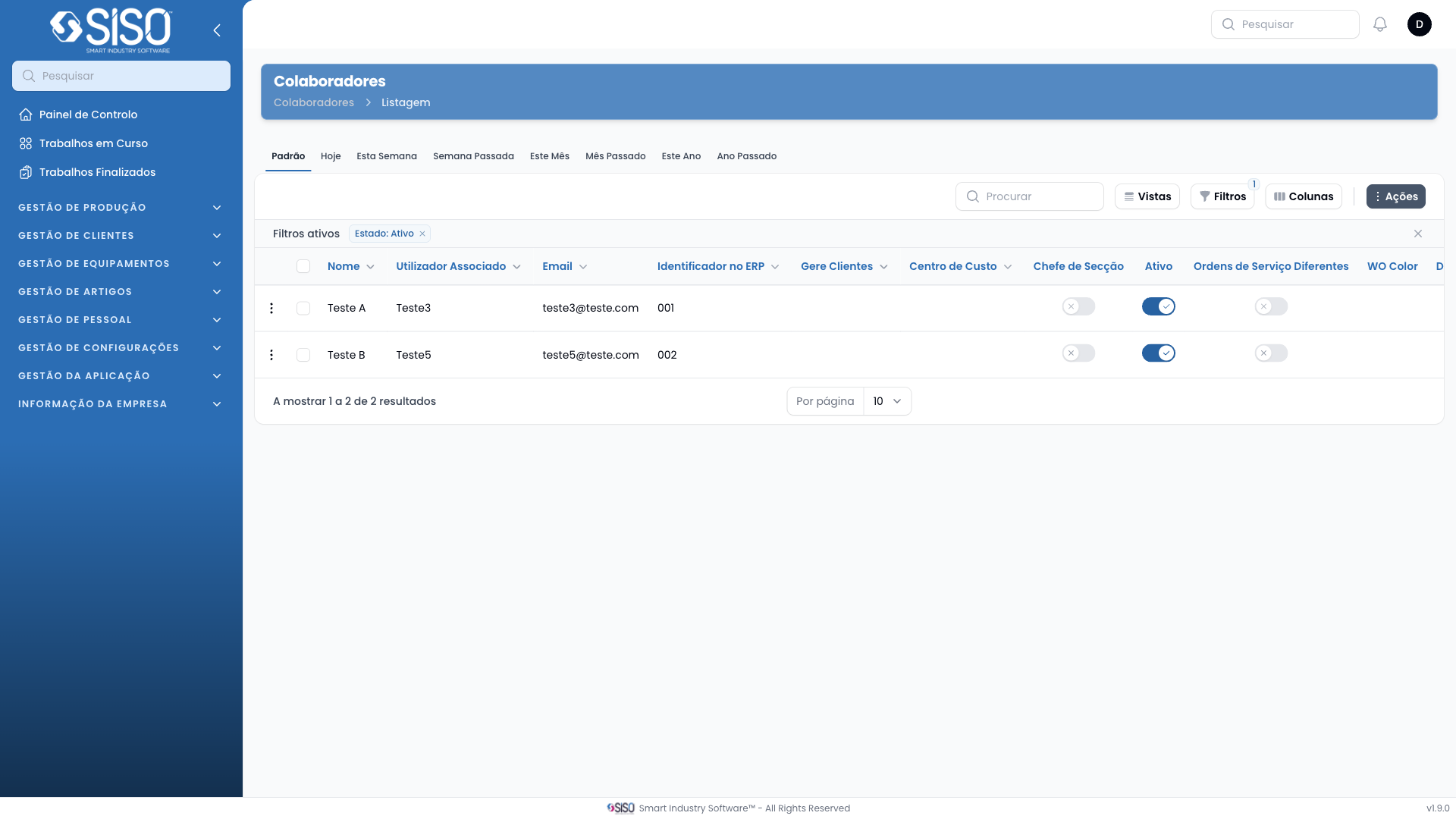
The Employees page allows users to manage employee records, including viewing, filtering, editing, and exporting employee data. This page provides details about each employee such as their associated user, email, and department.
2. Table
The table on the Employees page lists the details of all employees currently active in the system, providing key information such as their name, email, and cost center.
2.1. Table Actions
Calendar: Opens the calendar view for the selected employee.
Edit: Allows editing the details of the selected employee.
Import from ERP: Imports employee data from the ERP system into the application.
Export All: Exports all employee records that match the current filters into a downloadable format.
2.2. Columns
| Field | Description |
|---|---|
| Name | Full name of the employee |
| Associated User | The user account associated with the employee |
| The employee's email address | |
| ERP Identifier | Unique ERP identifier for the employee |
| Manages Clients | Indicates if the employee manages clients |
| Cost Center | The cost center associated with the employee |
| Is Chief of Section | Indicates if the employee is a section chief |
| Active | Status of the employee (active or inactive) |
| Department | The department to which the employee is assigned |
2.3. Filters
Department: Filters employees by their department.
Cost Center: Filters employees by their assigned cost center.
Status: Filters employees by their active or inactive status.
2.4. Record Actions
Calendar: Displays the calendar view for the employee, showing any scheduled activities or time off.
Edit: Allows the user to edit the employee's details, such as changing their associated user or updating their department.
Export All: Allows the user to export all employee records based on the applied filters into a downloadable format.
Import from ERP: Allows the user to import employee data from the ERP system into the application.