Finished Today's Operations
1. Page Objectives
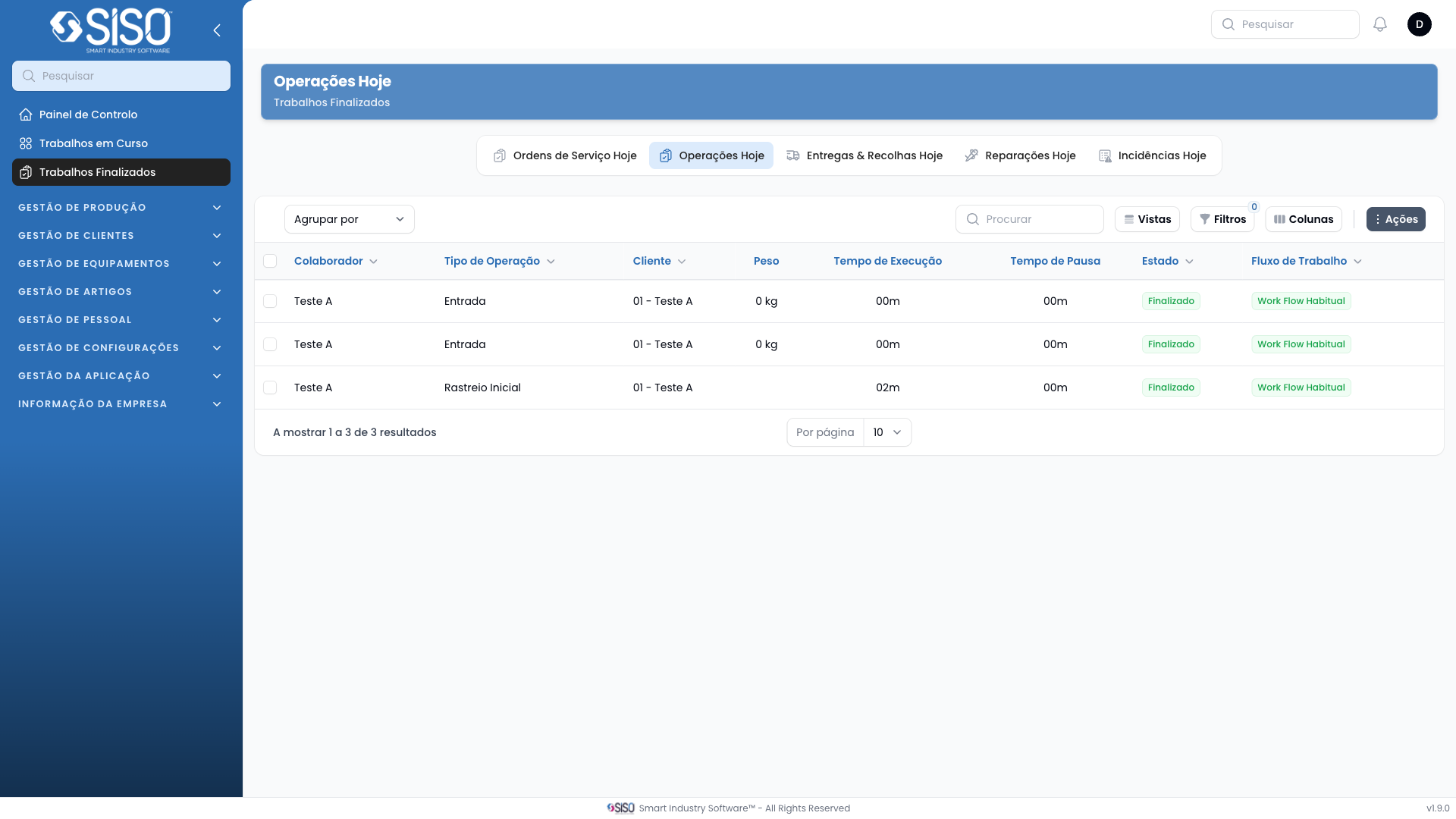
This page is used to display an overview of the finished work orders for today. The user can manage and view data about the operations completed on this day.
2. Table
The table on this page will display data related to today's operations once records are available. It contains details such as section, employee, client, operation type, and more.
2.1. Table Actions
- Export All: Allows the user to export all the records from the table. Once exported, they can be downloaded in .csv or .xlsx formats.
2.2. Columns
| Field | Description |
|---|---|
| Section | Section handling the operation. |
| Employee | Employee responsible for the specific operation. |
| Operation Type | Type of operation being performed. |
| Client | Client for whom the operation is being performed. |
| Weight | Weight involved in the work order. |
| Execution Time | Total time spent executing the operation. |
| Pause Time | Total amount of time the operation was paused. |
| Paused | Indicates if the operation is currently paused. |
| Average Times | Displays the average time taken by operations and by employees. |
| Work Flow | Describes the type of workflow, such as habitual or customized. |
2.3. Filters
This table does not have filters.
2.4. Record Actions
This table does not have record actions.