Contracts
1. Page Objectives
The Contracts page is designed to manage and display all the contracts associated with clients. Users can view, filter, and take actions on contracts, including exporting and editing contracts, while maintaining visibility on important contract details such as status, start/end dates, and renewal information.
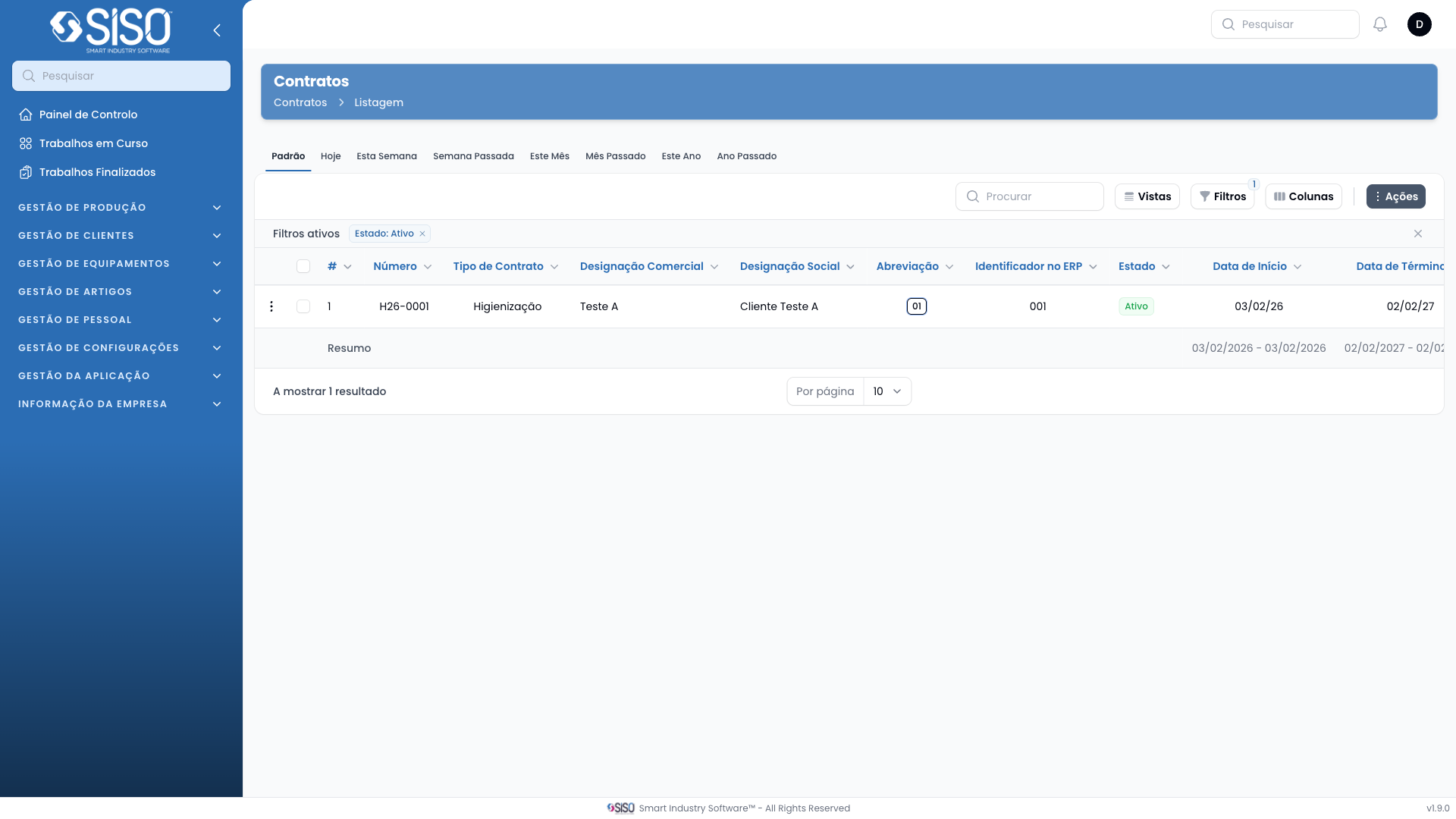
2. Table
The table on the Contracts page displays a list of client contracts, showing key information like contract type, status, and relevant dates. The table allows for filtering and customizing columns for a more tailored view.
2.1. Table Actions
- Create Contract: Opens a form to create a new contract entry.
- Export All: Allows users to export all contract data in a chosen format.
2.2. Columns
| Field | Description |
|---|---|
| Client | The name of the client associated with the contract. |
| Contract Type | The type of contract (e.g., Renting). |
| Status | The current status of the contract (Active/Inactive). |
| Number | Unique identifier for the contract. |
| Start Date | The date when the contract begins. |
| Date Next Renewal | The next renewal date for the contract. |
| End Date | The date when the contract ends. |
| Contract Duration | The total duration of the contract. |
| Contract Renewal Duration | The duration for contract renewal periods. |
| Renewal Notice Deadline | The deadline for providing a renewal notice. |
| Renewal Type | The type of renewal (automatic/manual). |
2.3. Filters
- Status: Filters contracts based on their current status (Active/Inactive).
- Contract Type: Filters contracts by their type (e.g., Renting).
- Start Date: Filters contracts by their start date range.
- End Date: Filters contracts by their end date range.
2.4. Record Actions
- Edit: Opens a form to edit the selected contract's details.