From Stock
1. Page Objectives
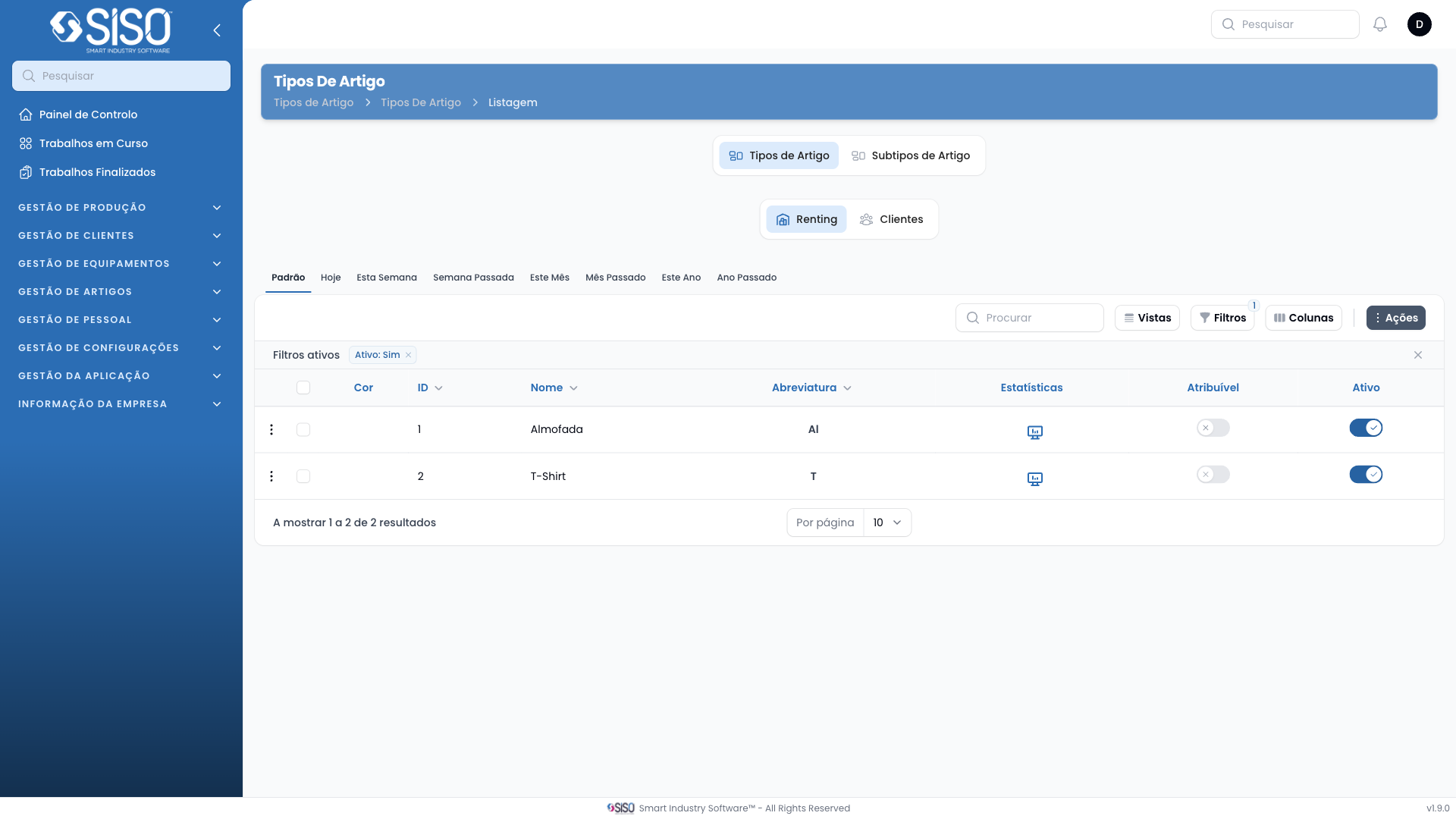
This page displays and manages different article types in the system. Users can view, create, edit, and filter article types.
2. Table
The table displays a list of article types, showing various details such as name, abbreviation, and whether the type is assignable or active.
2.1. Table Actions
- Create: Allows users to create a new article type.
- Export All: Exports the list of article types.
- Create Sizes: Available for individual records, allows the user to define sizes for the selected article type.
- Edit: Opens a form to edit the details of an existing article type.
2.2. Columns
| Field | Description |
|---|---|
| ID | Unique identifier for the article type |
| Name | Name of the article type |
| Abbreviation | Shortened code or abbreviation of the article type |
| Assignable | Indicates whether the article type can be assigned |
| Active | Indicates if the article type is currently active |
2.3. Filters
- Status: Filters article types based on their active or inactive status.
2.4. Record Actions
- Create Sizes: Allows users to define sizes for the selected article type.
- Edit: Opens a form to edit the selected article type.