Equipment Types
1. Page Objectives
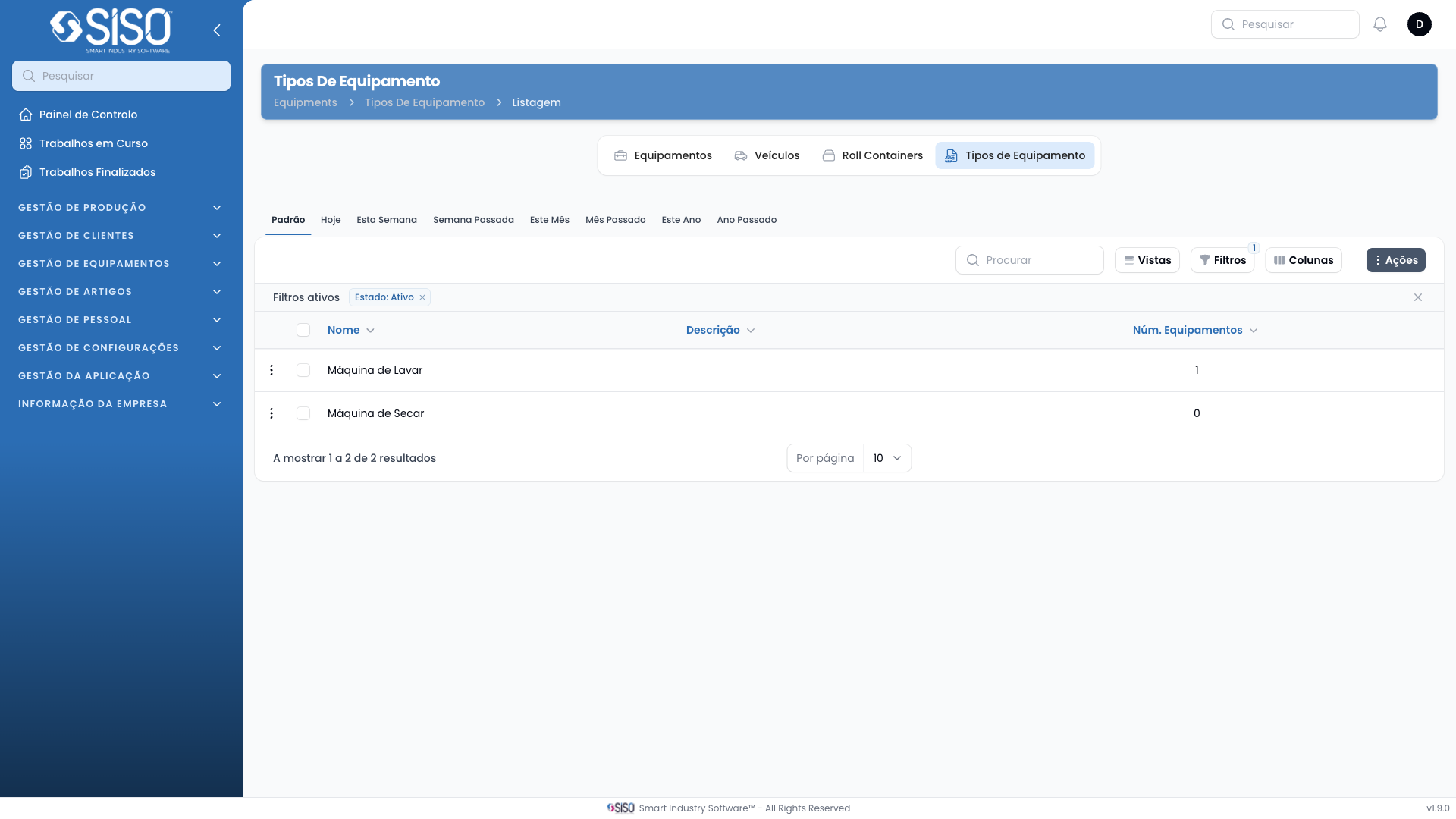
The Equipment Types page allows users to manage the different types of equipment in the system. It shows a list of equipment types and provides options to view, edit, or delete them.
2. Table
The table displays a list of equipment types, including details such as the name, description, and the number of pieces of equipment for each type.
2.1. Table Actions
- View: Allows the user to view more details about the equipment type.
- Edit: Allows the user to edit the equipment type information.
- Delete: Removes the equipment type from the system.
2.2. Columns
| Field | Description |
|---|---|
| Name | The name of the equipment type. |
| Description | A brief description of the equipment type. |
| Number of Equipments | The total number of pieces of equipment for this type. |
2.3. Filters
- Status: Filter the equipment types by their status (Active, Inactive, or All).
2.4. Record Actions
- View: Opens the details of the selected equipment type.
- Edit: Allows modification of the selected equipment type.
- Delete: Permanently deletes the selected equipment type.