Mechanical Programs
1. Page Objectives
This page displays a list of mechanical programs used within the system, showing details like expected weight, expected duration, cost per usage, and creation date. Users can manage mechanical programs by adding new entries or editing and deleting existing ones.
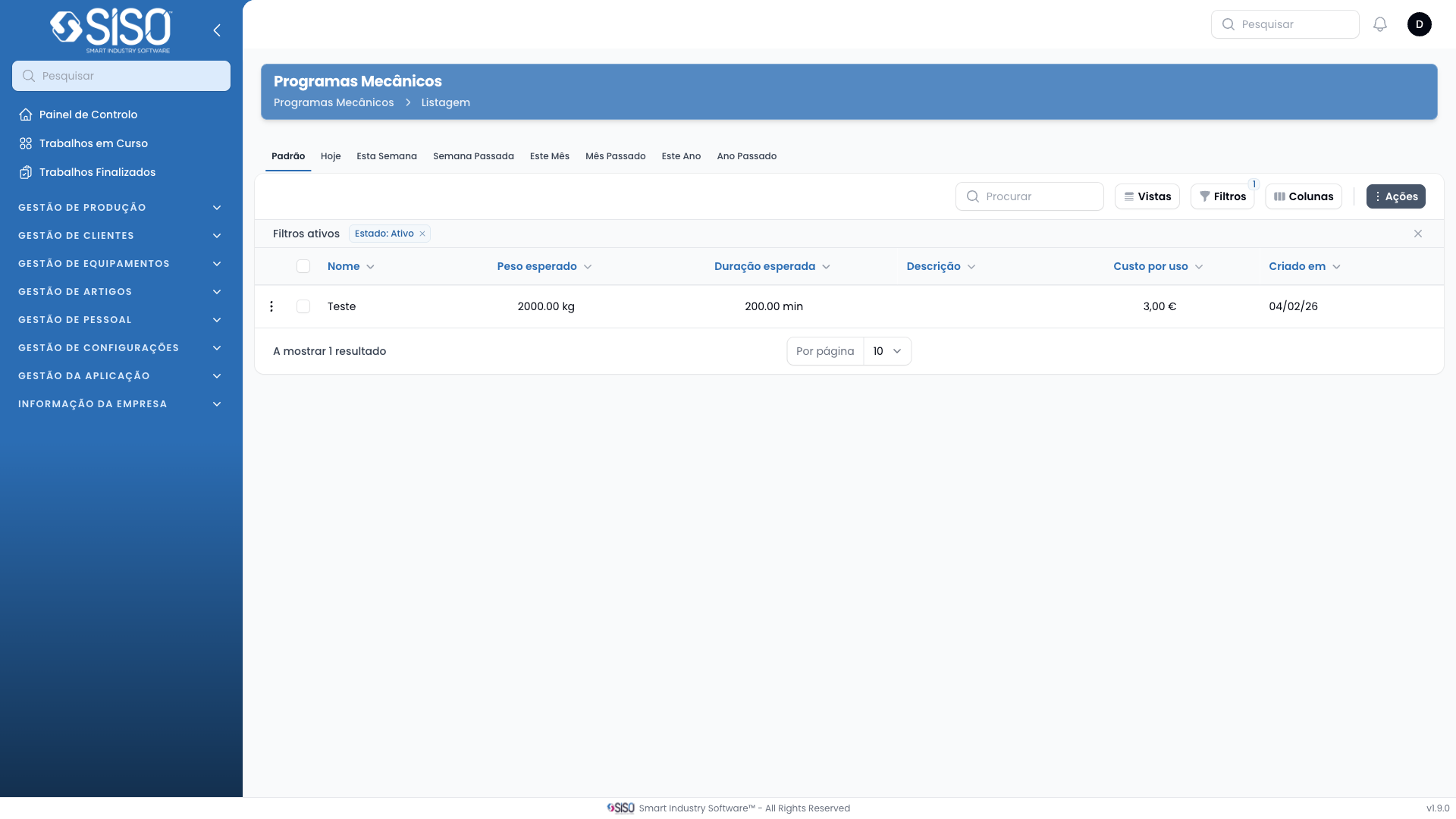
2. Table
The table presents the mechanical programs along with key information for each program such as the expected weight, duration, and cost per usage. Users can perform various actions, filter records, and adjust the table view as needed.
2.1. Table Actions
- New Mechanical Programs: Opens a form to add a new mechanical program.
- Export All: Downloads a file containing all the mechanical programs currently listed.
2.2. Columns
| Field | Description |
|---|---|
| Name | The name or identifier for the mechanical program (e.g., PM-1, PM-2). |
| Expected Weight | The anticipated weight for the program, typically in kilograms (kg). |
| Expected Duration | The expected time duration of the program, displayed in minutes (min). |
| Description | A short description of the mechanical program. |
| Cost per usage | The cost incurred for using this mechanical program, typically in currency. |
| Created at | The date the mechanical program was created in the system. |
2.3. Filters
- Status (Active, Inactive, All): Allows the user to filter the mechanical programs based on their current status (active or inactive).
- Created from/Created until: Filters records by a specific date range for when the mechanical program was created.
2.4. Record Actions
- Edit: Opens the selected mechanical program's details, allowing the user to modify its information.
- Delete: Removes the selected mechanical program from the system.