Equipments
1. Page Objectives
The "Equipments" page lists all equipment available within the system, showing their details such as serial number, brand, model, and capacity. It allows users to filter, edit, and manage equipment data.
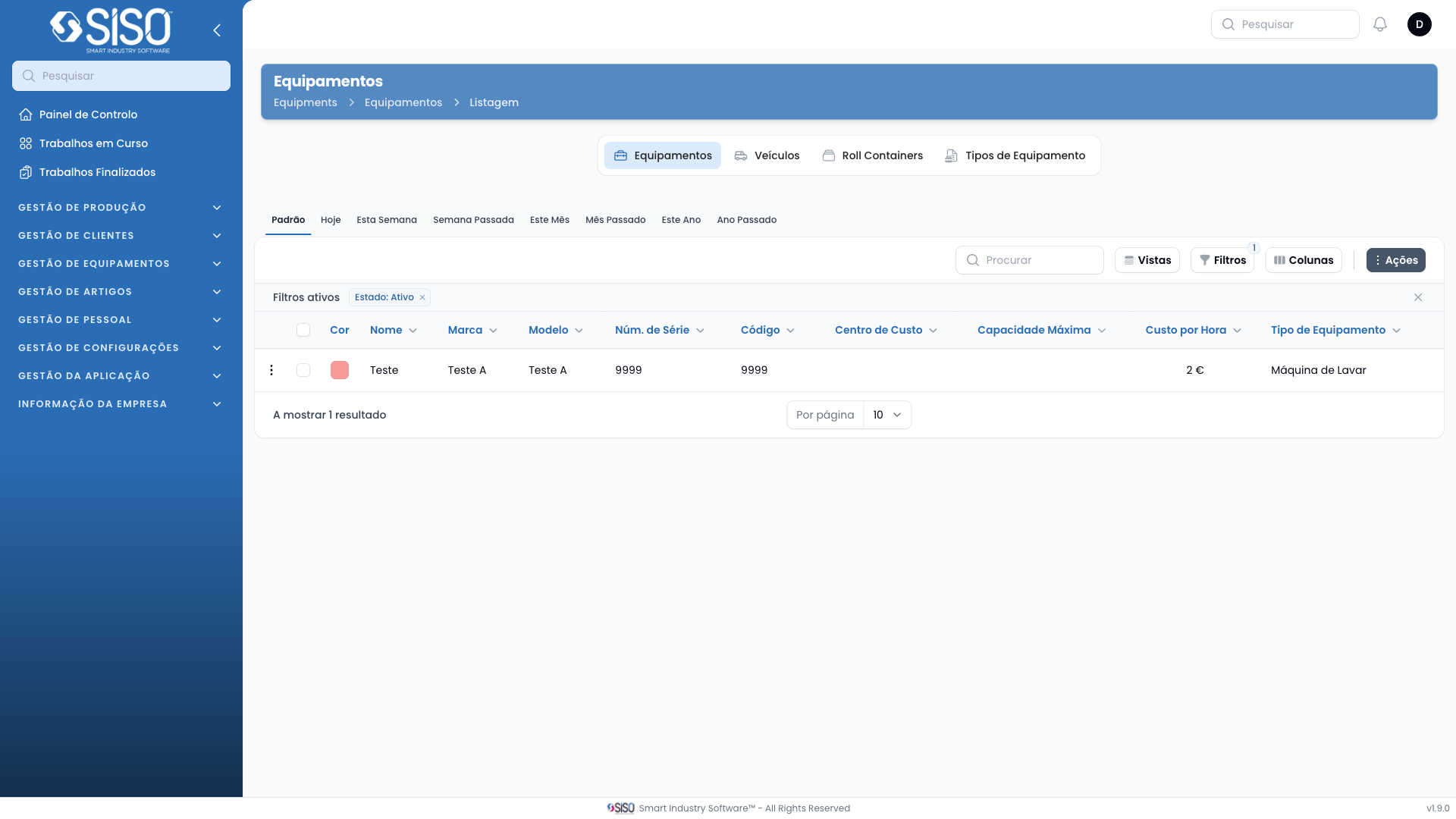
2. Table
This table displays a list of equipment including their color, name, brand, model, serial number, code, cost center, max capacity, and cost per hour. Users can view detailed information, filter the data, and take actions on individual records.
2.1. Table Actions
- New Equipment: Allows the user to add a new equipment record.
- Export All: Exports the entire list of equipment to a file.
2.2. Columns
| Field | Description |
|---|---|
| Color | Indicates a color code for the equipment |
| Name | The name of the equipment |
| Brand | The manufacturer or brand of the equipment |
| Model | The model number of the equipment |
| Serial Number | The unique serial number of the equipment |
| Code | The internal code associated with the equipment |
| Cost Center | The cost center associated with the equipment |
| Max Capacity | The maximum capacity of the equipment, in kg |
| Cost per Hour | The hourly cost for using the equipment |
| Equipment Type | The type or category of the equipment |
2.3. Filters
- Cost Center: Filters equipment by the associated cost center.
- Status: Filters equipment by their status (Active, Inactive, or All).
- Equipment Type: Filters equipment by the type, such as washing machine or other categories.
- Brand: Filters equipment by brand.
2.4. Record Actions
- Edit: Allows the user to edit the details of the equipment.
- Delete: Deletes the equipment from the list.