Clients
1. Page Objectives
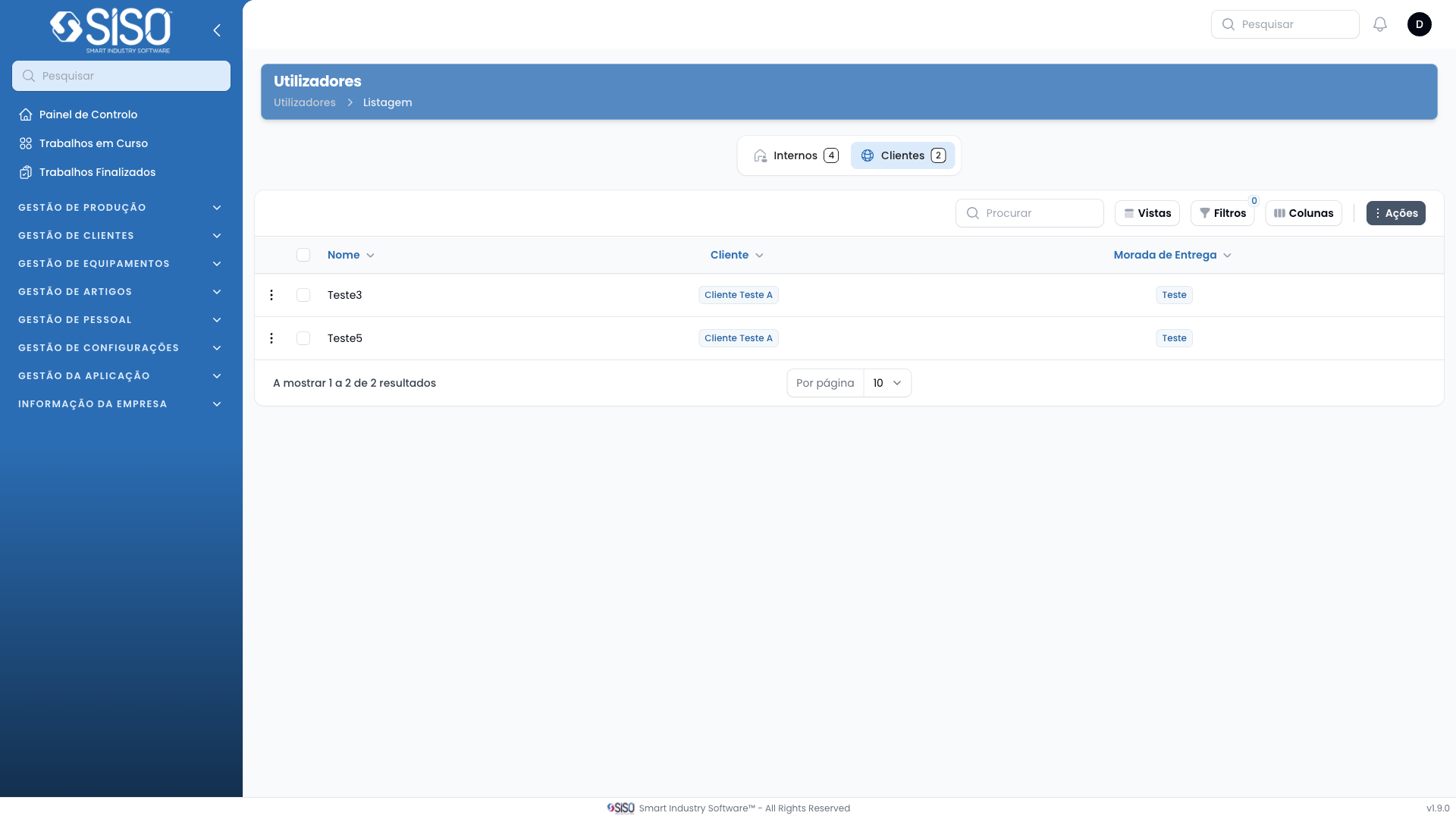
This page is designed for managing system users, providing features to filter users by client and roles. It also allows users to customize visible table columns and perform actions such as creating new users and exporting the user list.
2. Table
The table is used to display users in the system. When no users are available, a message is displayed indicating that there are no records to show.
2.1. Table Actions
- New Users: Opens a form to create a new user in the system.
- Export All: Exports all current users in the table to an external file for further use or backup.
2.2. Columns
| Field | Description |
|---|---|
| Name | Displays the user's name |
| Client | Shows the client the user is associated with |
| Displays the user's email address | |
| Delivery Address | Shows the user's delivery address |
| Roles | Lists the roles assigned to the user |
2.3. Filters
- Client: Allows filtering users based on their associated client.
- Roles: Provides filtering by user roles, including admin, gestor, comercial, and operador.
2.4. Record Actions
There are no records currently displayed, as the page shows no users. Once users are listed, actions such as editing or deleting the user would be available.