Current Work Orders
1. Page Objectives
This page provides a detailed overview of the current work orders, including their status and the different stages of processing.
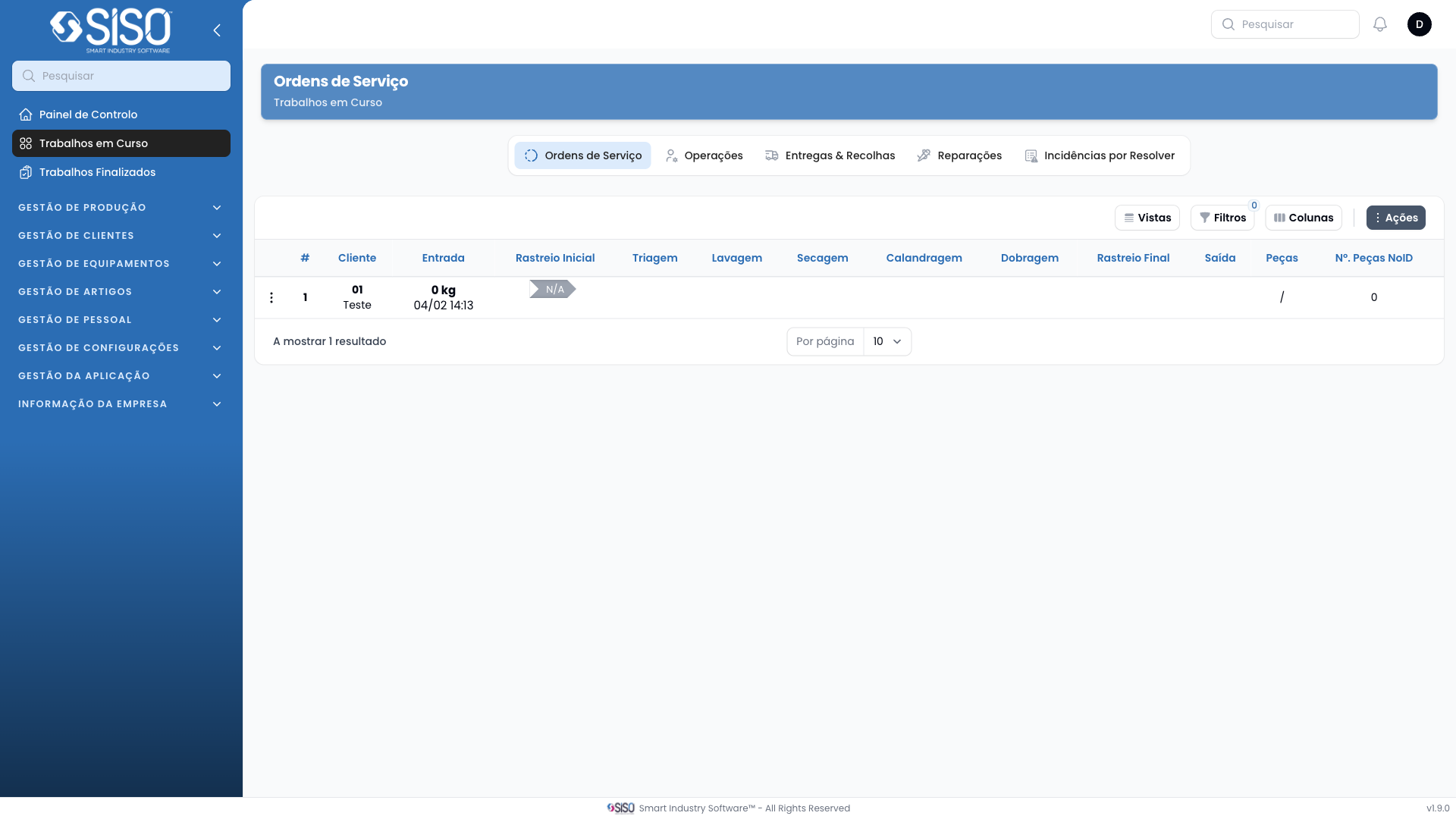
2. Table
This table displays the current work orders.
2.1. Table Actions
This table does not have table actions.
2.2. Columns
| Field | Description |
|---|---|
| Cliente | Name and location of the client for the work order |
| Entrada | Entry details of the work order, including weight and date |
| Rastreio Inicial | Initial Tracking status and duration for the work order |
| Triagem | Sorting status and duration for the work order |
| Lavagem | Washing status and duration for the work order |
| Secagem | Drying status and duration for the work order |
| Dobragem | Folding status and duration for the work order |
| Engomagem | Ironing status and duration for the work order |
| Rastreio | Tracking status and duration for the work order |
| Embalamento | Packaging status and duration for the work order |
| Saída | Exit status and duration for the work order |
| Peças | Number of pieces involved in the work order |
| N° Peças NoID | Number of pieces without identification, with information per operation |
2.3. Filters
- Client: The specific client associated with the data.
2.4. Record Actions
- Change Priority: Modify the priority level of a specific work order.
- Operations: Provides detailed information about each operation of the work order.
- Picked Articles: Lists and details information about the picked articles of the work order.
- Incidents: Lists and details information about the incidents of the work order.
- Unidentified Pieces: Lists the unidentified piece of the work order.
- Edit: Allows the user to change the status of each operation of the work order.
- Cancel: Allows the user to cancel the work order.